
Challenge: Design a visually delightful for a bathroom tile wall.
With the exact measurements translated into decimal inches, I made a scale drawing of the exploded view in InDesign, with units set to agate (ag, approximately 1:14). On top of these walls and the corner, I marked out the shower pan and glass walls (black lines), plumbing openings (black circles), a soffit and window (white).

After gravitating towards a pinwheel with 12″ and 6″ tiles, I created that pattern with outlines to account for grout. Placing the entire pattern in a unique layer let me move it freely to find the best starting point.
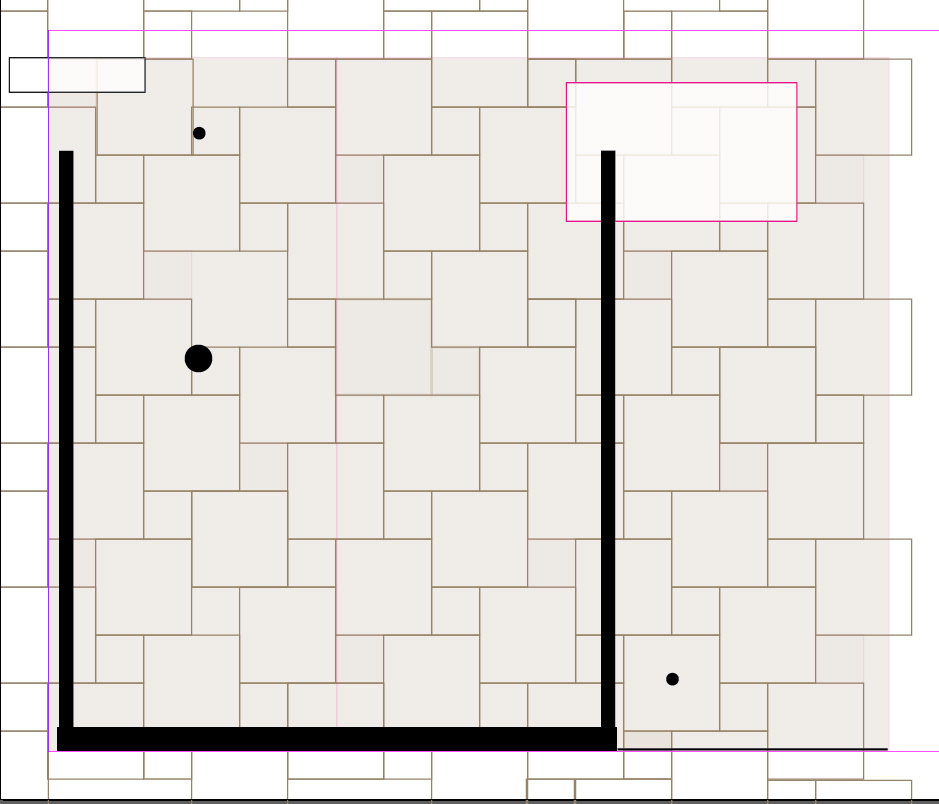
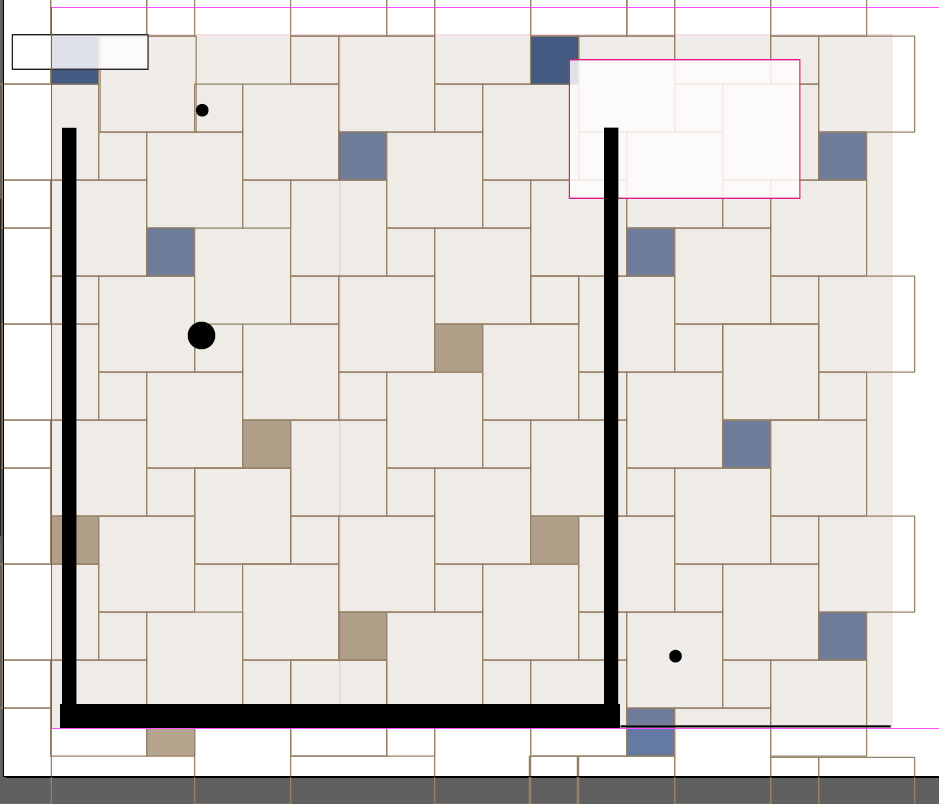
The backsplash would be a mosaic tile 6″ tall, and those highlights would carry through on every other 6″ tile. However, after realizing it was not to be used under a direct spray of water, we replaced those lower accent tiles with a darker beige accent. This layout showed us exactly how many we needed, and how much of the mosaic tile to purchase.
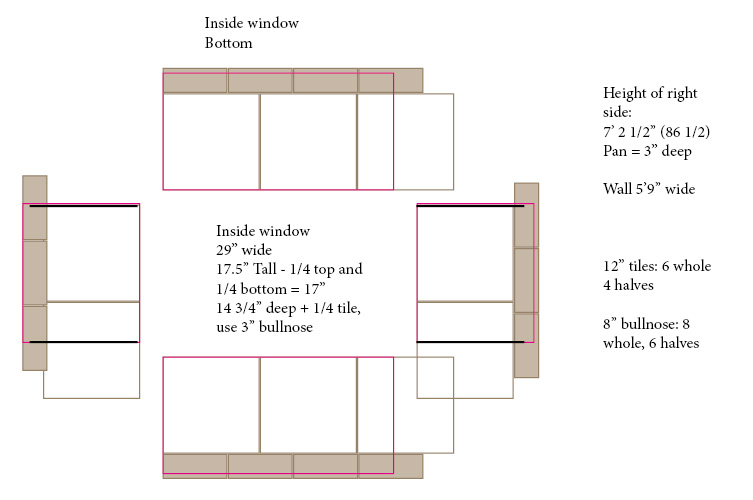
The same system laid out the tiles needed for the window through a thick foundation wall.
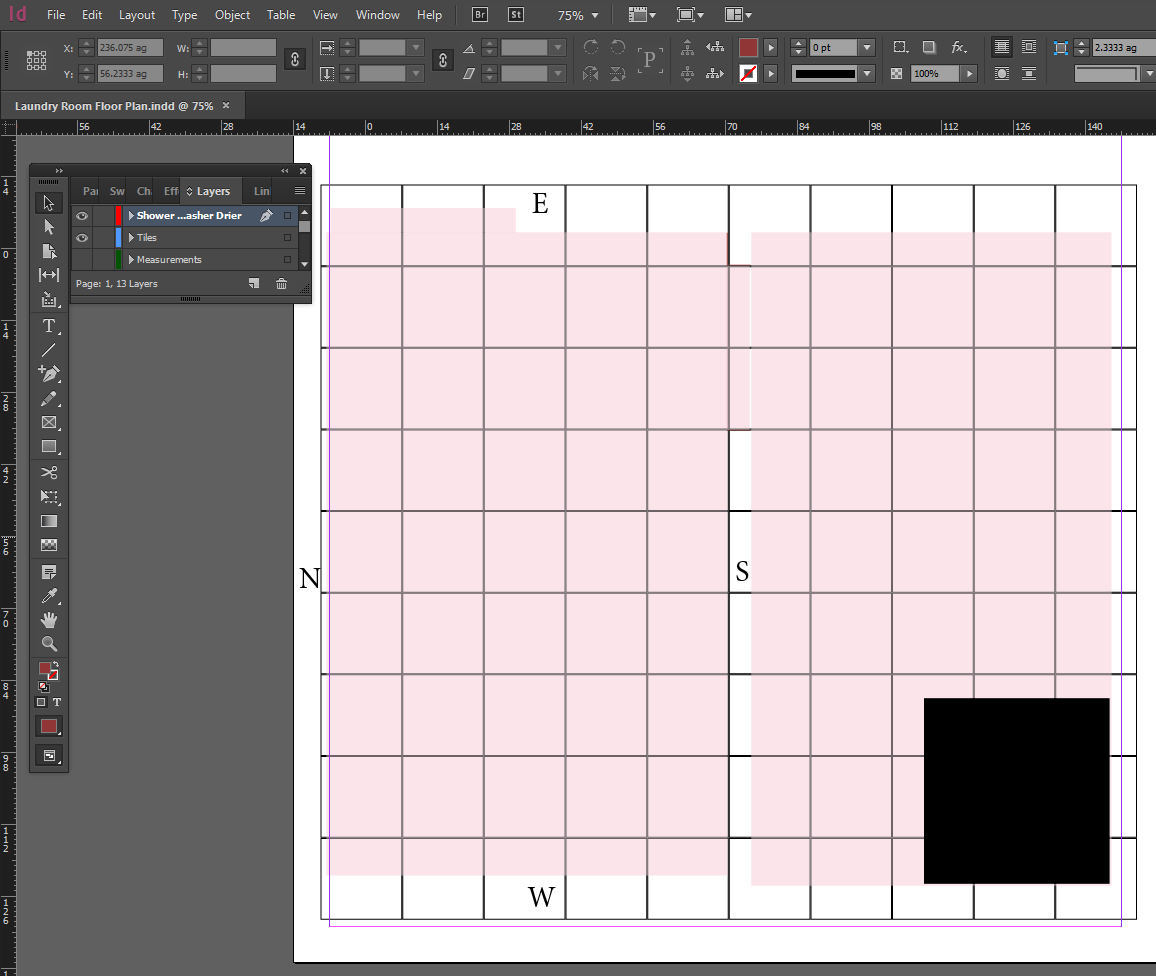
The floor was to be a seamless flow through both the bathroom and adjacent laundry room. Laying a digital grid helped determine if the tiles should be 12″ or 16″ and where exactly the starting point needed to be.
We couldn’t have asked for a better space.

 Communication By Design