
The following designs are samples from Canva’s templates. These aren’t bad designs, but they just don’t work for Digital Signage – where you have 3 seconds to communicate your message.

- Don’t have more than one message at a time. Got more messages? Make more slides!
- Don’t make your text too small. Test out your design by walking away from your computer screen and looking at a distance. Don’t stare at it, glance at your message to see if it’s legible.
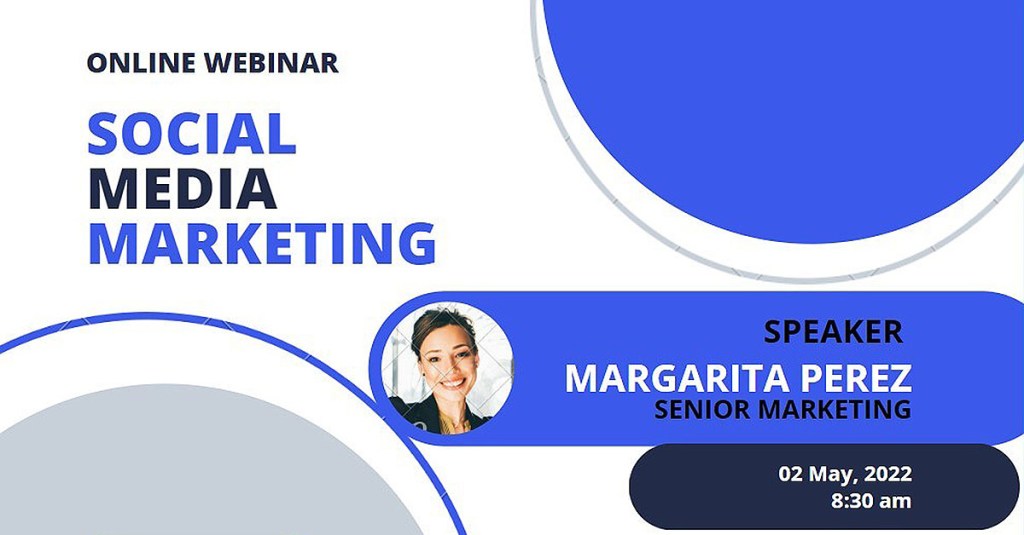
- Don’t use white or bright backgrounds. It’s like shining a flashlight in your viewers’ eyes!
- Don’t make your viewer guess where to look. Direct the eye with clear hierarchy and color choices.
- Don’t overuse all-caps. Words that are all the same height take longer to read and understand.
- Don’t put dark color text on a saturated/middle color background. Advocates for the visually impaired have programs to help designers pick colors with enough contrast to be seen.

- Don’t use more than one image. If you have multiple images, make multiple slides!
- Don’t squeeze letters together. Make sure there’s enough ‘white space’ around each character so it can be quickly and easily read.
- Don’t spread a phrase back and forth across a slide. A viewer should be able to take it all in at once.
 Communication By Design